FutureDay's Documents module is where every resume, LinkedIn profile, cover letter and note you build ends up automatically, one dated, searchable library instead of scattered files. Nothing has to be filed by hand. Every other module writes into it as you use them, so the version you need is already there, organised and ready to send.
Ask most people where their current resume actually lives and the honest answer is somewhere between two and four places. A version attached to an old email. Another one on a laptop that's since been replaced. A "final_v2" file nobody's opened since March. None of them is wrong exactly, they're just scattered, and scattered means slow the moment it actually matters.
Why does this actually cost you?
The book behind FutureDay puts it plainly: "The person who can respond within the hour, with something sharp, beats the one who needs three days to find their latest resume and write a cover letter from scratch." Opportunities that come through people move at conversation speed, not application speed. A warm intro today, a request for your resume this afternoon, a screening call tomorrow. The gap between "I'll send that over" and actually sending it is where good opportunities quietly lose momentum, not because the person changed their mind, but because finding and updating the right file took long enough for the moment to pass.
Why can't you just keep this organised yourself?
Because career documents get created in a dozen different places over months or years: a resume tweak here, a LinkedIn rewrite there, a cover letter drafted once for a role that didn't work out. Nothing forces them into one place unless something structural does it for you, and the habit of doing it by hand rarely survives past the first busy month. Most people try a folder, sometimes even a naming convention, and it holds for a few weeks before the next update happens somewhere else and never makes it back.
The other thing that quietly goes missing is the raw material itself. The FutureDay book calls this the achievements bank: keep a running list of your wins, captured as they happen, with the numbers attached, because "did really well on a big deal" recalled a year later is worth far less than the same win captured the week it closed. Specific numbers and outcomes are usually the first detail forgotten, so by the time you sit down to update anything, the sharpest version of a win is already gone.
How does Documents solve it?
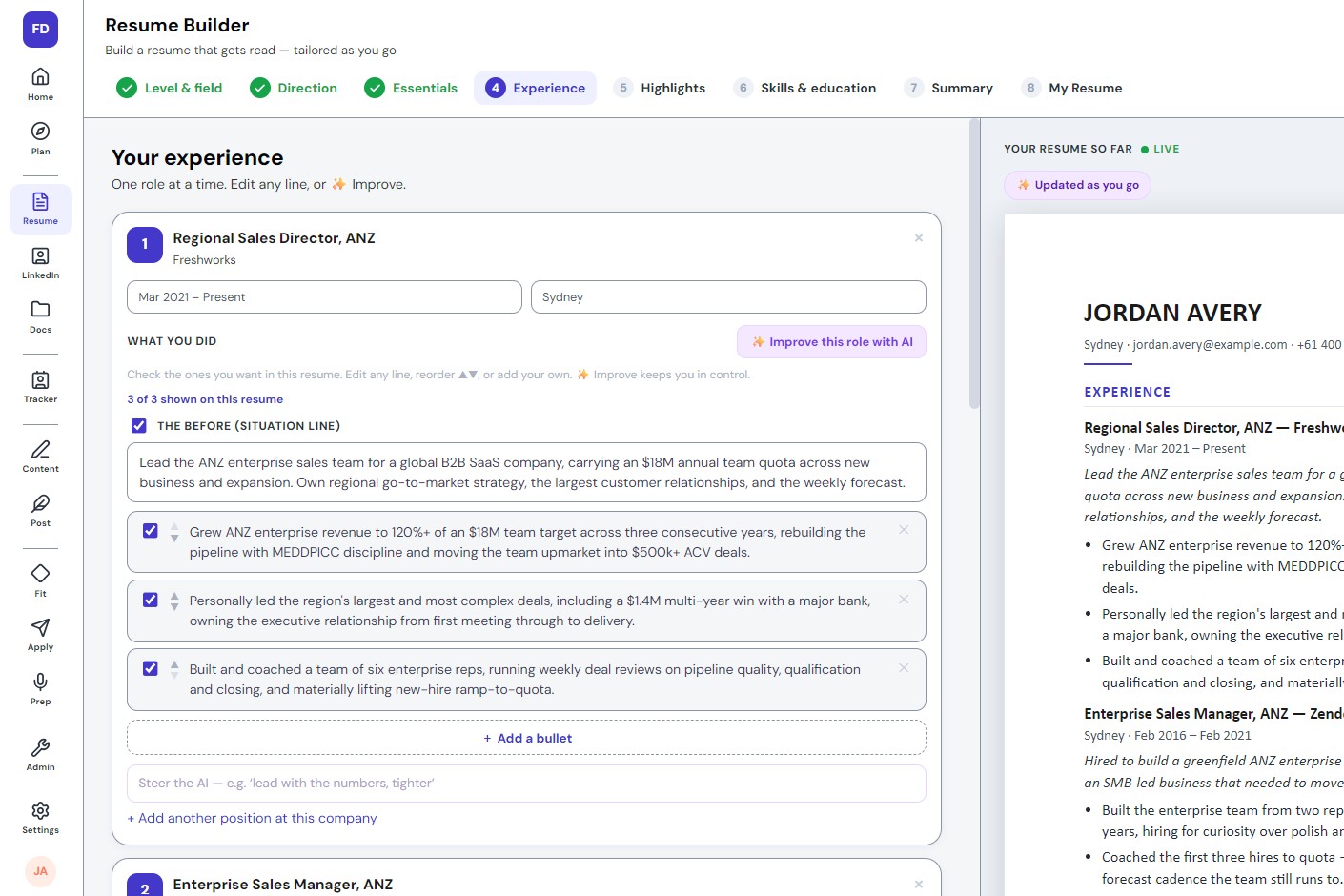
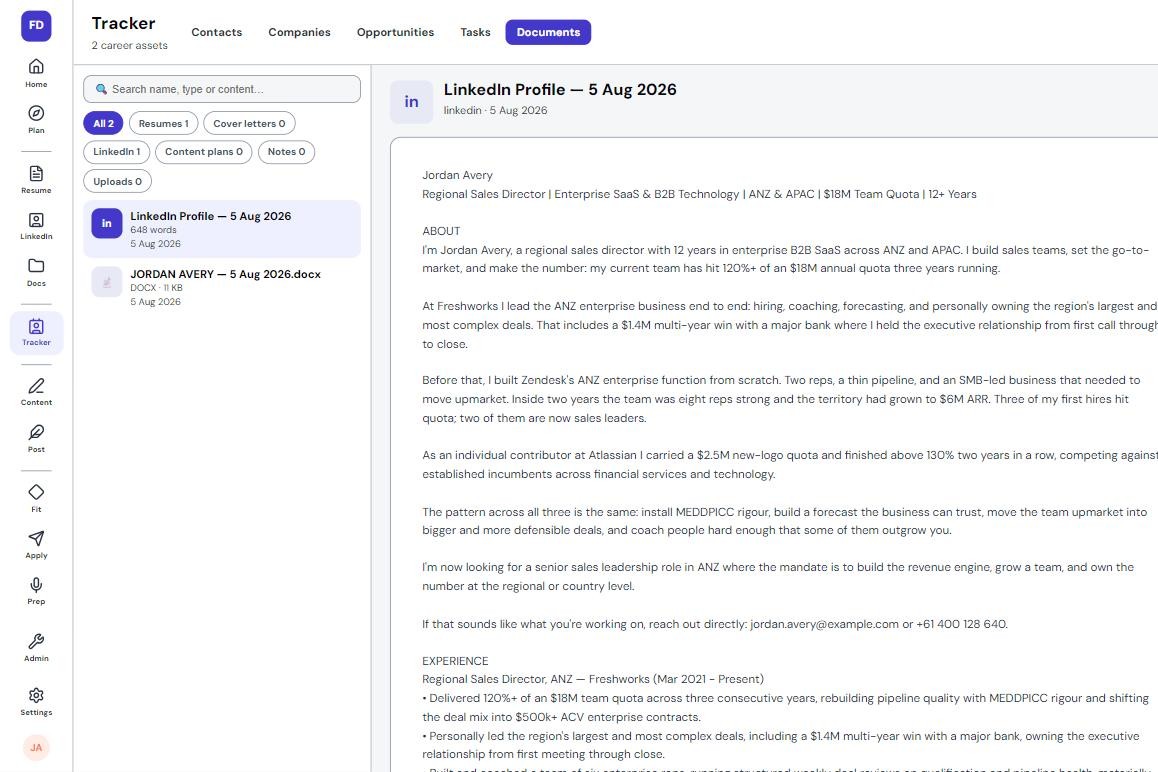
It doesn't ask you to build a filing system. It builds one for you. Every resume you finish in the Resume Builder, every profile version from the LinkedIn Optimiser, saves here automatically, dated and word-counted, the moment you finish it. Filter by type, Resumes, Cover letters, LinkedIn, Content plans, Notes, Uploads, or search by name or content to find one line you remember writing. Anything you'd rather add directly, a reference document, an old case study, uploads that too.
This is the "kit" the FutureDay book teaches as a habit: a master resume and its variants, cover letters, LinkedIn copy, proof of your work, references, and a running record of achievements as they happen, kept ready so you can respond within the hour instead of starting from a blank page. The difference is you don't have to maintain it by hand. It builds itself out of the work you're already doing in the rest of the system.
Before: Three resume versions spread across two laptops and an old email thread, and you're not entirely sure which one is current.
After: Every version, dated and searchable in one place, saved the moment you finish it in the Resume Builder or LinkedIn Optimiser.
Every document can be opened, reviewed, or exported as a real file, a .docx you can attach anywhere, at which point it stops being a FutureDay document and becomes whatever the moment needs it to be.
What changes once your documents are in one place?
The scramble disappears. A recruiter asking for something by tomorrow morning, a warm contact who wants to forward your resume today, a cover letter you need to adapt for one specific role, all of it is minutes away instead of an evening's search. You stop hesitating before a fast-moving opportunity because you already know exactly where the right version lives and how current it is.
Apply pulls straight from this library to build a tailored application, so the system that made responding fast is the same one that makes responding sharp. Nothing gets rebuilt from memory, and nothing sits in a folder waiting to go stale.
Career documents usually end up scattered across emails, old laptops and half-remembered file names, which costs you exactly when speed matters most.
Documents saves every resume and profile version automatically as you build them elsewhere in FutureDay, dated, word-counted and searchable.
It's the "kit" from the book, built for you rather than something you have to remember to maintain.
Anything can be exported as a real file the moment you need to send it.
It's also the library Apply pulls from to build a tailored application, so the fast version and the sharp version are the same document.
A resume you can find in ten seconds beats a better one you can't find until tomorrow. Documents exists so that choice never has to happen.