Each application speaks the job's language in minutes, not an evening, and never claims anything you didn't do. The Tailored Resume puts your resume into one job description's own words. You tell it what only you know, tick the terms you have genuinely done, and check and change every line. A Tailored Cover Letter follows, both download as Word files, and the role goes into your Job Tracker as Saved.
Everyone knows a tailored resume beats a generic one, and almost nobody has the evening each application takes. So the same resume goes out again, to the role that deserved better. The Tailored Resume takes the evening out of tailoring without taking you out of it: your facts, the job description's words, and your call on what stays.
How long does it take to tailor a resume to a job description?
The book behind FutureDay, “Stop Applying, Start Getting Hired”, puts tailoring in three moves: mirror the language of the role, lead with your most relevant proof, and cut what doesn't serve this job. In practice that means reading the job description line by line, rewording your lines into its language without overstating them, fixing a summary that could belong to any role, then writing a cover letter. Done properly, it is an evening per application, and the first thing to slip when a search gets busy.
What does sending the same resume everywhere cost you?
The roles you were best suited for. According to Greenhouse, there were 244 applications per job in 2025, up from 116 in 2022, and Ladders' eye-tracking study found recruiters spend an average of 7.4 seconds on a first pass of a resume. A resume written in your last employer's vocabulary asks that reader to do the translating, and in a 7.4-second first pass nobody does. So you read as a weaker match than you are.
Why is tailoring a resume hard to do well on your own?
Because good tailoring is translation, and translation takes judgement. Resignations and turnover sit side by side in most HR reports, but turnover also counts people who were let go, so one must never be swapped for the other.
Under time pressure there are two more traps. One is lifting a tool you have never used out of the job description, a claim an interviewer can test with one question. The other is rewriting lines that were already right until the resume stops sounding like you.
How does FutureDay tailor a resume to a job description?
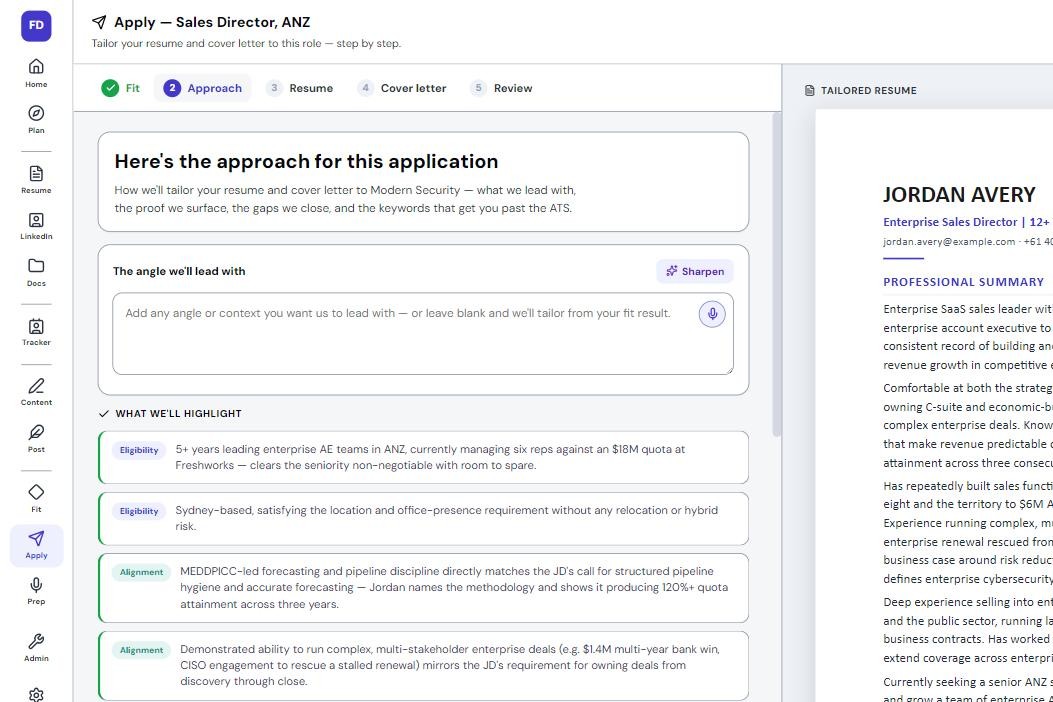
It works from the resume you built in the Resume Builder, and rewrites what is there rather than inventing it. There are five steps, Fit, Brief, Resume, Cover letter and Review, each on screen to check and change.
Step 1: Fit
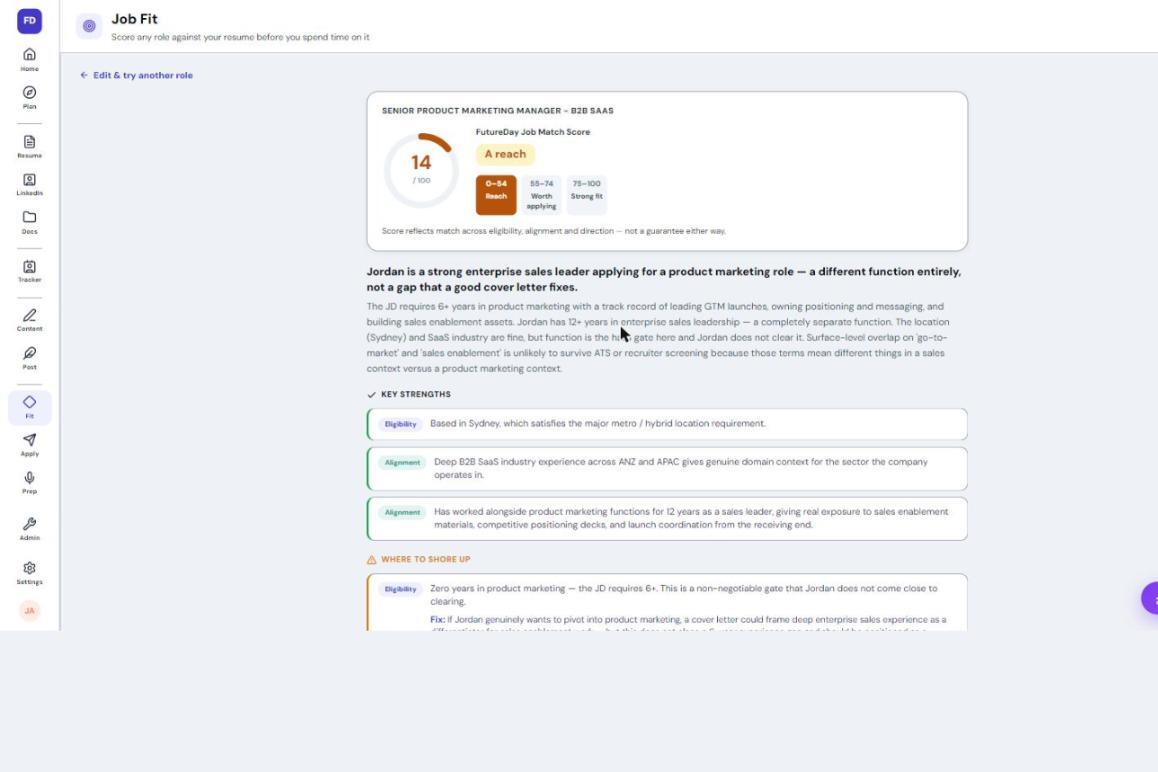
Paste or upload the job description, add anything worth weighing, and press "Start tailoring". The Job Fit Check's reading runs underneath, usually in 40 to 60 seconds, but no verdict is shown. From the Job Fit Check itself, "Build my application", or "Build it anyway" on a reach, skips this step.
Step 2: Brief
Headed "Before we write it", the Brief asks only for what you can tell it. If the job description asks for things your resume doesn't show, it lists them: pick the job where you did it, say what you did, and it becomes a bullet under that role. Eligibility answers, such as location or notice, go into the cover letter instead. Skip any and it is left alone. As the screen says: "We never add a number or a claim you didn't make."
Then come the words this job description uses. Green ones are already on your resume. Tick any others you have done and they turn indigo. Nothing starts ticked, because a tick is your claim. Last, it asks for the company name and job title if the job description didn't give them.
Step 3: Resume
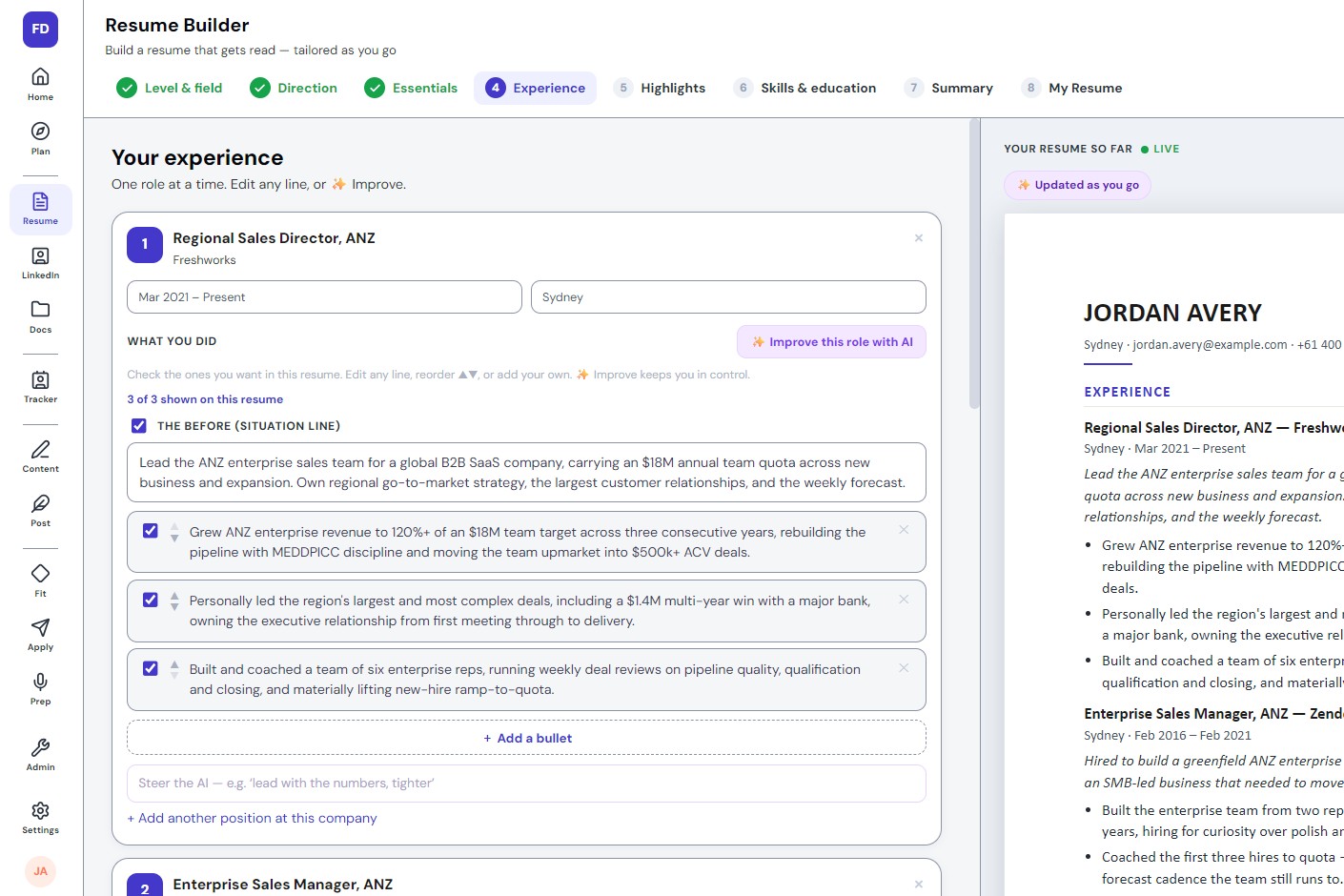
Press "Build my tailored resume" and it usually takes 40 to 90 seconds. Your highlights, skills, experience and education come first, and a line changes only where the job description says the same thing in different words. The headline and summary are written last, from the tailored version, so the top of the page argues only from what is underneath. Say the job description talks about employee onboarding, new hires and voluntary attrition:
Before: "Rebuilt onboarding for 300 new starters a year, cutting first-year resignations from 22% to 9%."
After: "Rebuilt employee onboarding for 300 new hires a year, cutting first-year voluntary attrition from 22% to 9%."
Same work, same numbers, their words. The job description's terms are marked in indigo where they landed, on screen only, never in the Word file. Then edit anything: change a line, tick roles, bullets and skills on or off, or press "Rewrite every line" and steer it with "Tell it what to change". Leave a role off and it warns that an interviewer will ask about the gap in your dates.
Step 4: Cover letter
The Tailored Cover Letter is drafted from your tailored resume and the job description, usually in 15 to 30 seconds. Every figure has to come from your resume, and it is told never to invent company news: where the job description says nothing about the employer's situation, it writes about the problem the role exists to solve. You set the date, the addressee and the greeting, which defaults to "Dear Hiring Manager", and edit the rest freely.
Step 5: Review
Review, headed "Ready to send", offers both documents as Word files, then "Save to Tracker & finish".
Can AI tailor a resume without making things up?
This one is built not to, in two layers. First, the rules the writer follows: use the job description's vocabulary, never its tone. Never add a number, result, job title, company, date or qualification. Never name a product, tool, client or region your resume doesn't already name, unless you ticked it. A ticked term goes in once at most, and only where it has a natural home.
Second, code checks what comes back. A job title, employer or dates changed on a role go back to yours. A highlight carrying a figure you never wrote, or a product you never vouched for, reverts to your own line. Anything else it cannot vouch for, such as a figure that is not on your resume, is named on an amber card headed "Before you send this". The letter is checked for figures too, and a guess like "last year" is taken out.
What happens after you tailor your resume for a job?
Tailoring is not applying. "Save to Tracker & finish" puts the role in your Job Tracker at Saved, with both documents on it, and they also appear in Documents, under the job. You send the application yourself.
The next day, if nobody is on the role yet, Home suggests you find a person at the company before you apply. After two quiet days it asks "Did you apply to [Company]?", with "I applied", "Not yet" and "Not for me". The judgement calls still get made, only faster: the writer handles the words, and you decide what stays.
Tailoring properly takes an evening per application, so it is the first thing to slip.
The Tailored Resume takes one job description through five steps, each one visible and editable.
It uses the job description's own words and never adds a fact, and the terms you tick are your claims.
Code puts back a changed job title, employer or dates, and names anything it cannot vouch for before you send.
The role lands in your Job Tracker as Saved, and you apply when you are ready.