Your whole search out of your head and in one place, so nobody falls through the cracks. Contacts, Target Companies and the Job Tracker give every person, company and role its own linked record, with a stage bar, notes and tasks, and the Task List gathers the tasks in one place. FutureDay never messages anyone or goes looking for people. You do the talking; it keeps the thread.
The hard part of a search built on relationships isn't meeting people. It's remembering them: who introduced you, what you promised to send, the trip they were about to take. The simplest fix is one place, where every person, company and role has its own linked record. That's Contacts, Target Companies, the Job Tracker and the Task List, all under Tracker in the app.
Why is it so hard to keep track of a job search?
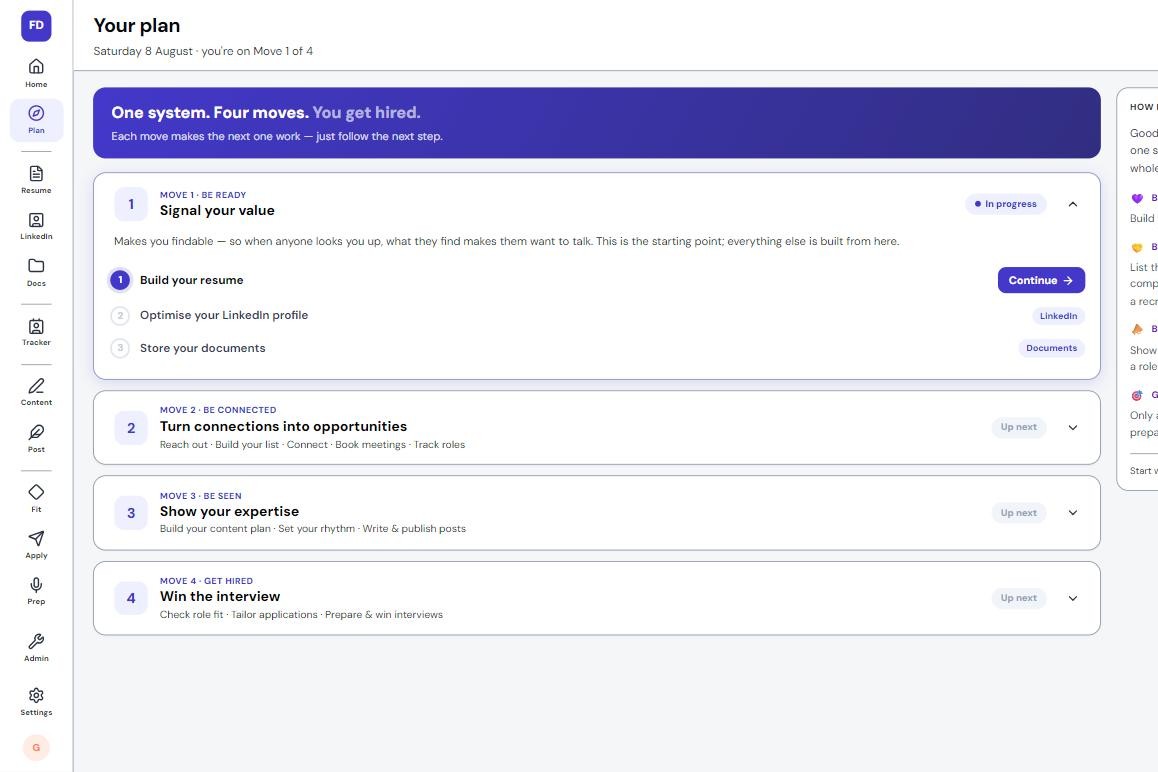
Because it spreads. The Plan's Be Connected steps ask for ten people you know, twenty target companies and three people inside them, each at a different point: one has your invitation, one owes you a reply, one is meeting you on Thursday. Add the roles you find, and the pieces scatter across an inbox, LinkedIn, a notes app and a spreadsheet that was current the day you made it.
What does losing track of your job search cost?
Rarely a rejection. Usually a thread that stops: someone offers to introduce you to their CFO, you mean to follow up, and the moment passes.
Smaller costs add up too. A call where you can't recall what you discussed. An application to a company where a former colleague works, unnoticed. A second favour asked of a referrer you never thanked. Each one spends goodwill that took a career to build.
Why doesn't a spreadsheet work for a job search?
A spreadsheet holds rows, and a search is made of links. Priya is a row, and so are her company and the role she mentioned, but nothing connects them: that she referred you, that the role sits at her company, that two more people you know work there.
Nor does a sheet notice what has gone quiet. That's the job of FutureDay's Home screen; this article is about the records it works from.
How do you keep track of networking contacts and target companies?
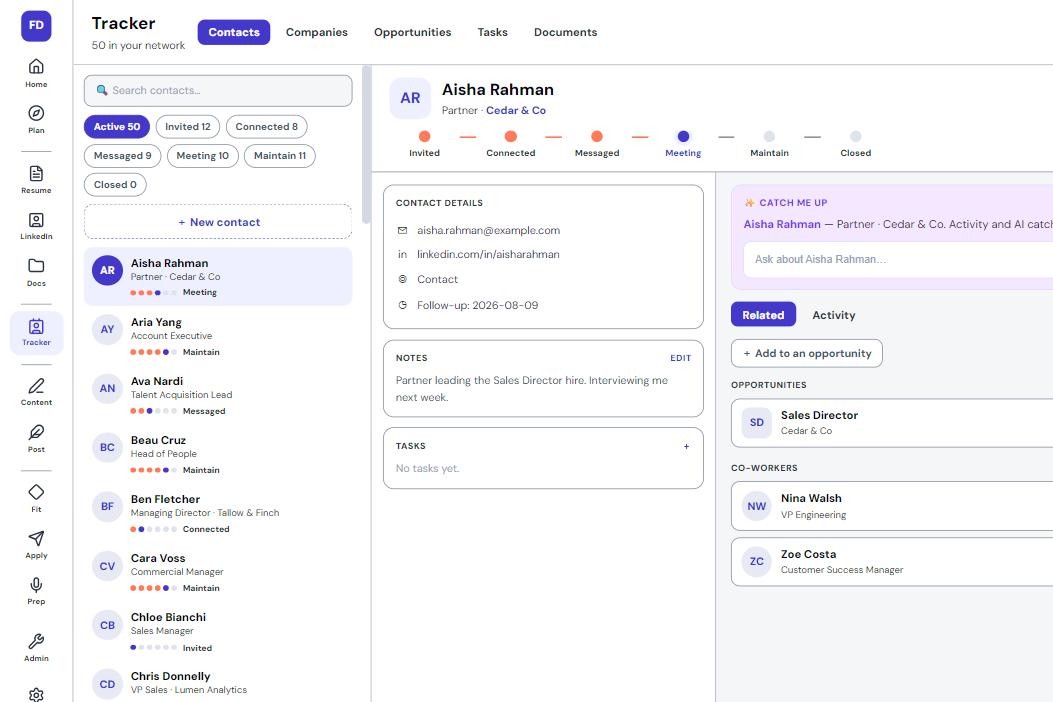
Contacts. Every person gets a record with a stage bar under their name: New, Invited, Connected, Messaged, Meeting, Maintain and Closed. Click a stage to move them. Move someone to Meeting and it asks "When are you meeting?", so Home can help you get ready and ask how it went.
The details card holds their email, mobile and LinkedIn, each a tap away, and who referred them. Every person or role they refer you to is listed under a Referrals heading. A Personal details card holds a birthday, partner, children, interests and a Remember list for things like "Just back from Japan". The newest two show on their card on Home, and none of it is ever sent to the AI.
You don't start from a blank list. People you know takes the employers on your resume one at a time and asks who you worked with there, then recruiters, clients, industry contacts, university and friends in your field. Type a name and press Enter: no email or job title needed. Each person is saved at Connected, with a note of how you know them.
Target Companies. The Companies you'd want to work for screen works the same way: first the companies where people you know already work, then competitors, ones you admire, ones you nearly joined and ones you've worked alongside. Suggest 20 companies comes last, drawing on your industry, level and history, so your own ideas go down first.
Each company moves through Prospect, Researching, Targeting, Engaged and Closed, and one you chose moves itself to Engaged when you add a contact or a note there. On its Research heading, Research with AI searches the web and returns who they are, what they sell, recent announcements and talking points, with its sources. If it finds too little, it says "Nothing solid came back" rather than guessing. You can refresh it every 14 days.
FutureDay doesn't search for people. A company with nobody on it shows seven steps to find them in LinkedIn, including a check of who you're already connected to there.
How do you track job applications and follow-up tasks?
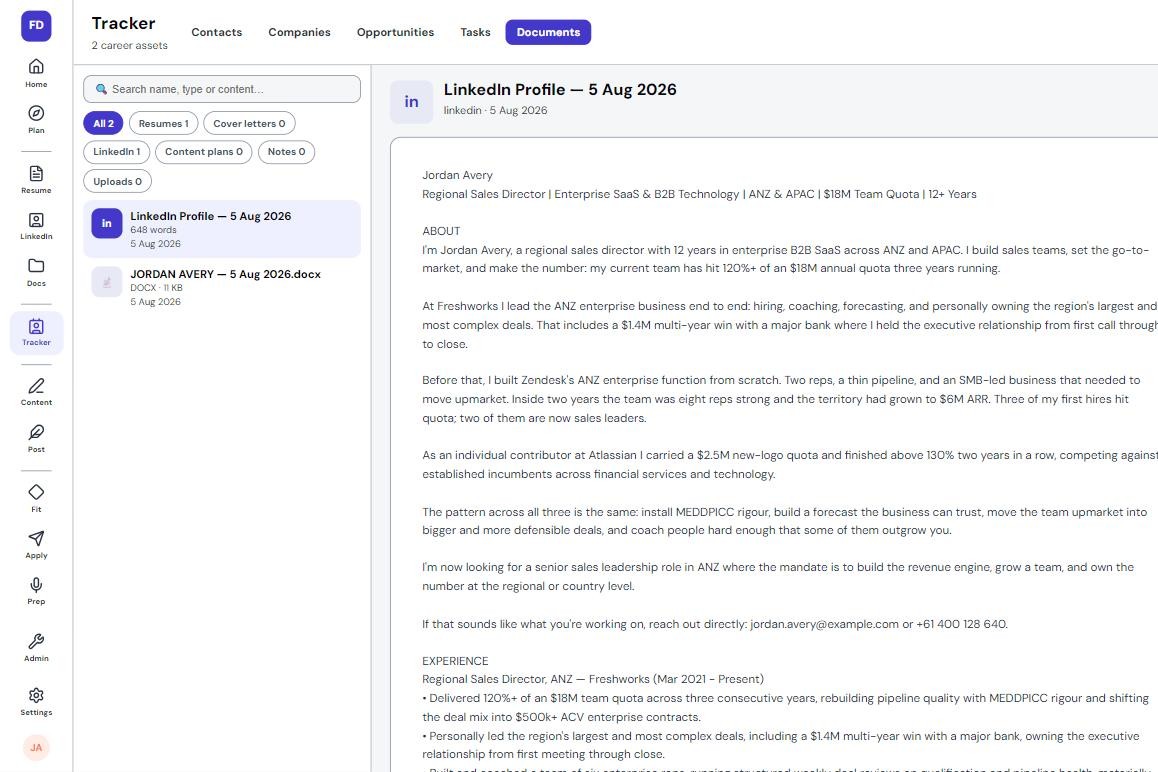
The Job Tracker. Every role gets a record too, staged Saved, Applied, Screening, Interviewing, Offer, Accepted and Closed, and Screening and Interviewing ask for the date. Beside its Contacts, Notes and Tasks sit Job (the job description), Fit (the Job Fit Check's verdict: Strong fit, Worth applying for or A reach, with the reasoning), Application (your Tailored Resume and Tailored Cover Letter as .docx files) and Preparation (your Interview Prep).
Finish an application with Save to Tracker & finish and the role is filed at Saved, not Applied: building the documents isn't sending them, so you move it to Applied yourself. A day after you save a role with nobody on it, Home asks you to find a person there before you apply, and if you already have contacts at that company, it says how many. The number, never the names.
The Task List. A task has a name, a due date, notes, an optional link to a person, company or role, and Repeat for the check-in you want every three months. Close a repeating task and the next one appears, counted from the date it was due. The Task List filters by Open, Overdue, Closed or All, and sorts by due date into Overdue, Today, This week and Later.
Nothing creates a task except you, and there's no follow-up date field anywhere: something to do is a task, added with + Add on the record it's about. Notes are added the same way. Each record also keeps its own history: moving a stage writes "Moved to Meeting", and Sent it on Home adds a dated note with the message it suggested.
Before: A good call with a hiring manager ends with "let's pick this up in March, once the budget's signed off". By April you're wondering if it's too late to ask.
After: Before you leave his record, press + Add, then Task: "Call Daniel about the new team", due 3 March, linked to him. Miss the date and it sits under Overdue on your Task List until you deal with it.
What changes when you track your whole search in one place?
You stop reconstructing. Before a call, one record has it all: the stage, the dated notes and the trip to ask about. Ask FutureDay reads the record you have open, so "Help me prepare for my meeting with Priya" starts from what you already know, and the personal details stay out of it.
A closed role isn't a dead end either: the company and the people you met there stay on your list, history attached. You still decide who to call and what to say, and you send every message yourself.
A search runs on more people, companies and roles than memory or a spreadsheet can hold.
Contacts, Target Companies and the Job Tracker give each its own record, stage bar, notes and tasks.
People you know and Companies you'd want to work for build the lists with you.
Personal details help you pick up where you left off, and never go to the AI.
Nothing creates a task, finds a person or sends a message except you.
 21 pages, a 15-minute read